
Artificial intelligence is no longer limited to large technology companies. Today, AI helps businesses of all sizes save time, serve customers better, create content, understand data, and handle repetitive tasks more efficiently.. The right AI tool can act like an extra helping hand, allowing teams to focus more on important business decisions and creative work.
However, there is no single **best AI tool for every business**. The right choice depends on what a company wants to achieve, its budget, team size, and existing software.
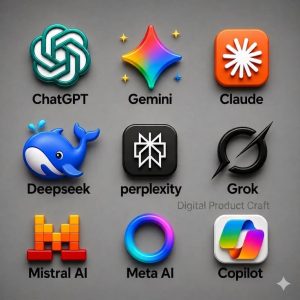
##1. ChatGPT – AI Assistant for Business Tasks
ChatGPT is a versatile AI assistant that helps businesses handle a variety of everyday tasks, including content writing, brainstorming ideas, summarizing information, analyzing data, and drafting professional communication.
**Useful for:**
– Writing emails, blogs, and social media content
– Brainstorming business ideas
– Summarizing documents
– Creating reports and proposals
– Analyzing data
– Developing customer
-service responses
It is particularly useful for teams that need a flexible AI assistant rather than a tool designed for just one task.
## 2. Canva – AI-Powered Design and Marketing
Canva combines graphic-design tools with AI features, making it easier for businesses to create professional-looking visual content.
**Useful for:**
– Social media posts
– Presentations
– Advertisements
– Posters and banners
– Marketing materials
– Brand visuals
Even people without advanced design skills can create and edit business graphics quickly.
## 3. HubSpot – AI-Powered Marketing and CRM
HubSpot combines customer relationship management (CRM), marketing, sales, and customer-service features. Its AI-powered features help businesses create content, manage customer relationships, and streamline everyday workflows more efficiently.
**Useful for:**
– Managing leads
– Customer relationship management
– Marketing campaigns
– Sales activities
– Customer support
– Workflow automation
It can be particularly useful when a business wants to keep customer and marketing activities organized in one ecosystem.
## 4. Grammarly– AI for Business Communication Clear communication matters in every business. Grammarly uses AI to help improve writing, including grammar, clarity, tone, and wording.
**Useful for:**
– Professional emails
– Reports
– Website content
– Business proposals
– Marketing copy
It can help teams communicate more clearly and consistently.
## 5. Zapier – Zapier connects different business applications and automates repetitive tasks, helping teams streamline workflows and save valuable time.
For example, a company could connect a lead-generation form with a spreadsheet or CRM so that information is transferred automatically.
**Useful for:**
– Automating repetitive tasks
– Connecting business applications
– Managing leads
– Sending notifications
– Moving information between platforms
## 6. Microsoft Copilot – Workplace Productivity Microsoft Copilot provides AI assistance within Microsoft’s productivity ecosystem, depending on the product and subscription being used.
**Useful for:**
– Drafting documents
– Summarizing information
– Working with spreadsheets
– Creating presentations
– Improving everyday productivity Businesses already using Microsoft products may find this type of integration useful.
## 7. QuickBooks – AI-Assisted Financial Management QuickBooks provides accounting and financial management tool with AI powered features
**Useful for:**
– Tracking business finances
– Managing invoices
– Organizing transactions
– Monitoring expenses
– Understanding financial information
AI-assisted accounting can reduce some manual work, although important financial information should still be reviewed carefully.
How to Choose the Right AI Tool
Before choosing an AI tool, businesses should consider their specific needs, goals, budget, and how well the tool fits into their existing workflow.
. ## Businesses should consider:
- **Business goal:**- Identify the specific problem you want AI to solve.
- **Ease of use:**- Choose a platform your employees can learn without unnecessary complexity.
- **Pricing:**- Compare free and paid plans according to your actual requirements.
- **Integration:**- Check whether it works with the software your business already uses.
- **Data privacy:**- Understand how the platform handles business and customer information.
- **Scalability:**- Consider whether the tool can continue supporting the business as it grows.
- **Human review:**- Check important AI-generated information before using it for customers or major business decisions.
## Conclusion
AI tools can help businesses work smarter by reducing repetitive tasks and supporting activities such as **marketing, communication, design, customer management, finance, and automation**. The aim should not be to use as many AI tools as possible, but to choose the right tools that genuinely meet your business needs.
Instead, businesses should identify their biggest challenges and choose tools that genuinely solve those problems. Starting with one or two useful tools, measuring their impact, and expanding gradually can be a practical way to introduce AI into everyday business operations.
## Frequently Asked Questions (FAQ)
### What Is the Best AI Tool for Businesses?
– There is no universal best tool.
– The right choice depends on the business’s goals, budget, team, and workflow.
– For example, businesses may use ChatGPT for general AI assistance, Canva for design, HubSpot for CRM and marketing, and Zapier for automation.
### 2. Can small businesses use AI tools?
Yes. Small businesses can use AI tools for content creation, customer communication, marketing, data analysis, graphic design, and workflow automation to improve productivity and save time.
Many platforms offer plans designed for different business sizes.
### 3. Can AI reduce business costs?
– AI can help businesses save time by automating repetitive tasks and streamlining routine processes.
– It may improve employee productivity and streamline workflows.
– Actual cost savings depend on how effectively the business implements the technology.
### 4. Is AI safe for business use?
– AI can be useful, but businesses should consider privacy, security, accuracy, and access controls.
– Sensitive information should only be entered into platforms after reviewing their data-handling policies.
### 5. Will AI replace business employees?
– AI can automate certain tasks, but many business activities still require human judgment, creativity, communication, and decision-making.
– In many workplaces, AI is used as a tool to support employees rather than as a complete replacement for them.